Using Native Javascript Date Calculations To Modify Sisense Date Filters
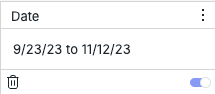
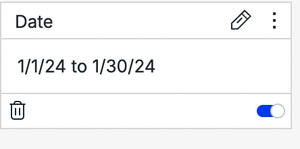
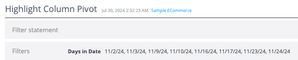
Sisense natively supports various types of date filter functionalities. However, there are instances where a dynamically updating date filter is desired based on dynamically changing conditions such as the current date. Such a filter may not precisely align with the filters provided in the Sisense UI. One approach to achieve this custom behavior of a dynamically updating filter is through the use of dashboard or widget scripting.5.8KViews3likes13Comments
Sisense Compose SDK
Sisense Compose SDK The Future is Composable In the fast-paced world of data-driven applications, developers are constantly seeking innovative ways to create customized data products that seamlessly integrate into their projects. Sisense has stepped up to the challenge with its groundbreaking Compose SDK, which has fundamentally changed the game. This powerful toolkit empowers developers to harness the full potential of Sisense components, enabling them to craft data products that are not only highly customized but also perfectly tailored to their applications. Traditionally, the embedded analytics market constrained developers within the boundaries of their chosen tools. However, Compose SDK breaks free from this limitation. Instead of merely embedding a third-party tool, developers now have the freedom to build bespoke data products by selecting from a rich library of Sisense components and seamlessly integrating them with a wide range of other tools within their Integrated Development Environment (IDE). A Practical Example In the world of UI design, consistency is key. Imagine your company has chosen the Material UI framework to style your application. It provides a sleek and uniform look, but now you need to populate Material UI tables with dynamic data from Sisense. Enter Compose SDK. With it, you can seamlessly merge Material UI's aesthetics with Sisense's analytical power. Start with Material UI tables that align perfectly with your design guidelines. Then, using the Compose SDK's ExecuteQuery component, you effortlessly infuse these tables with real-time data from Sisense. The result? Stunning, data-rich components that not only adhere to your design principles but also deliver invaluable insights. Your users get the best of both worlds - visually appealing design and powerful data. Get Started with Compose SDK Excited to explore the potential of the Compose SDK? Good news - it's currently in Beta and available to all Sisense partners, ready for you to harness its capabilities today. To embark on your journey, you can begin by cloning the example repository from GitHub listed below. To install the necessary packages for your sample application, follow the user-friendly Compose SDK Quickstart Guide. Keep in mind that, for the time being, these packages are accessible on GitHub, requiring a personal access token for access. In conclusion, Sisense's Compose SDK represents a revolutionary leap forward in the world of data product development. It empowers developers to break free from the constraints of traditional embedded analytics and build highly customized, seamlessly integrated data products. With the Compose SDK, the possibilities are limitless, and the power to transform your applications lies at your fingertips. So, why wait? Dive into the world of Compose SDK, unleash your creativity, and revolutionize your data products today. Your applications will thank you for it! Credit: Sample Application initially developed by Sisense Senior Director of Field Engineering: Tom Linton Compose SDK -- Material UI Example Sisense Quick Start Guide Sisense Github2KViews3likes1CommentModifying Simply Ask Natural Language Query Generated Widgets with Scripting
Sisense's Simply Ask feature empowers users to create visualizations instantly by asking natural language questions, simplifying data exploration without needing technical expertise or manual widget configuration. This Natural Language Query (NLQ) capability accelerates data exploration and insights generation without needing to manually create new Sisense widgets through the standard UI for each question or data relationship of interest. However, these automatically generated widgets differ from standard widgets in that they do not trigger typical widget scripting events, which poses a challenge for applying custom modifications. This limitation can hinder the application of standard dashboard and widget scripting customizations directly to these widgets. Fortunately, it is possible to modify NLQ-generated widgets programmatically by using JavaScript to manipulate the HTML of the fully rendered widgets without relying on Sisense-specific widget scripting events. This approach involves observing changes in the Simply Ask modal DOM and applying custom code when new widgets are rendered. This article explores how to implement such customizations, providing code examples and notes to help customize NLQ-generated Simply Ask widgets.616Views2likes0CommentsExpanding on Using Native Javascript Date Calculations To Modify Sisense Date Filters
Sisense offers native support for various types of date filter functionalities, and also allows users to create and modify dynamic filters entirely using dashboard or widget scripting. This article expands upon the code samples discussed in the previous article on this subject, showcasing additional examples. These examples further demonstrate how to leverage JavaScript date objects (which use Unix time) for advanced date filtering in Sisense. Sisense date filters typically utilize dates in standard calendar-based string date formats. To expand on the code samples shared in the previous examples which were based on a filter based on a set time period from today, and based on user comments in the previous article, three additional examples are included in the article.1.5KViews2likes0CommentsMastering custom actions in Sisense: debugging and understanding payload properties
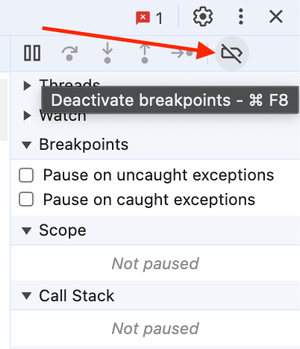
Custom actions extend the widget BloX's basic functionality. This article explains how to debug custom actions. Developing custom actions requires JavaScript programming experience and familiarity with the browser's developer tool.590Views1like0CommentsEnsuring Accurate PDF Export Headers When Programmatically Modifying Dashboard Filters in Sisense
When working with Sisense dashboards, programmatically modifying filters upon dashboard load via dashboard scripts for a specific user or circumstance is possible. However, an issue can sometimes occur when exporting these dashboards to PDF immediately after such modifications: the filter header displayed at the top of the exported PDF displaying the current dashboard filter state may not accurately reflect the current state of the dashboard filters. This article explains the cause of this issue and presents a solution to ensure that PDF exports display the correct filter information in the header.595Views1like0CommentsAdvanced Scripting for Sisense’s Simply Ask NLQ: Adding Currency Symbols to Pivot Tables
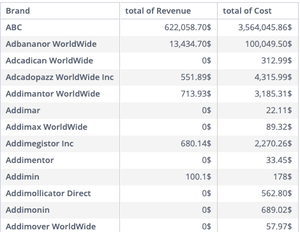
Sisense’s Simply Ask feature empowers users to create visualizations instantly by asking natural language questions, simplifying data exploration without needing technical expertise or manual widget configuration. This Natural Language Query (NLQ) capability accelerates insights generation without the need to manually create new Sisense widgets through the standard UI for each question or data relationship of interest. In a previously published article , it was discussed how to customize Simply Ask NLQ-generated widgets using scripting, providing multiple examples of basic modifications and more detail on the basic mechanics of scripting Simply Ask widgets. In this article a more complex example wil be shared to show how widgets can be customized in more complex conditional ways: programmatically adding currency symbols to specific data columns in pivot table widgets generated by Simply Ask.684Views1like0CommentsPlugin - customLogoLink
Plugin - Set Custom Link Overriding default In Top Left Logo Icon Description This plugin allows changing the link of the top-left Sisense or white-labeled logo on the server's home page to a custom URL. Disabling the plugin will restore the logo link to its default behavior. Installation To install this plugin, download and unzip the attachment. Then drop the disableLogoLink folder into your plugins folder (/opt/sisense/storage/plugins). Enable the plugin on the Add-ons tab in the Admin section, wait for the plugin to build, and the plugin will be enabled. The plugin API and file management UI can also be used. Config Options - URL - URL navigated to on logo click - iframeLogoLinkChangeParentAddress - Boolean option allows logo click to change the parent address of a Sisense Iframe. It should be noted that JTD uses an iframe Notes This plugin is similar to the DisableLogoLink plugin which is documented here this page includes notes on creating plugins similar to this one. Learn more: https://docs.sisense.com/main/SisenseLinux/pre-post-build-plugins.htm https://academy.sisense.com/master-class-advanced-dashboards-with-plug-ins-and-scripts304Views1like0CommentsUsing the Color Palette Parameter of Sisense Dashboards in Scripts and Plugins
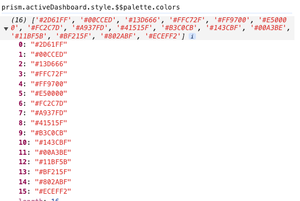
Like many other dashboard parameters, the color palette of a Sisense dashboard can be accessed and modified in scripts and plugins for customization and additional use cases. Sisense plugins, especially those creating new widget types, commonly utilize the dashboard palette attribute to ensure visual consistency with other widgets on the dashboard. Native Sisense widgets also employ the dashboard palette color attribute for uniform default coloring throughout the dashboard.1.2KViews1like0Comments