REST API error on /elasticubes/{server}/{title}/updateCube
I used /elasticubes/{server}/{title}/updateCube to set the "creator" attribute. It destroyed my cube; the only way to recover was using the REST API to export a .sdata, import that, and delete the old one. I think it might have set lots of metadata attributes to null. The Sisense REST API page, and a community post, seemed to indicate that using it to set a single attribute would be appropriate.93Views0likes3CommentsRefresh schema for all tables
Can we get a "refresh schema for all tables" button? Reason: Our tables are usually "Select * From AnalyticsSchema.ViewName". We control which fields to return by editing the view, not the Sisense table definition. When a field gets added/removed/changed, we need to refresh schema. That's fine to do manually as you're working on that datamodel+views, but we need to refresh all when: We copy a datamodel to a different server. We need to refresh schema at least to double-check that the views are as expected on the new server. (If any fields have changed, then I'll need to go fix any widgets using those fields, or, more likely, update the view to include them.) A view gets edited, perhaps for a different datamodel, and my datamodel hasn't been updated. I edit several views and want to refresh schema for all those Sisense tables. If I've changed used fields then I'll need to go into each table manually anyway so it doesn't matter, but I've had a case where I've removed unused fields from several views and now I need to click refresh schema on every table individually.3.3KViews6likes21Comments
Data Source Dependency Report
I would like to be able to run a "lineage/dependency" report in Sisense. Something that will tell me for all the cube/live data sources: - Data source name - Type (cube/live) - Dates of the data model (created, modified, last built) - Data sources being referenced and type (web service, database, etc.) - Details of each data sources (SQL Server, servername, database name) - Tables or objects being referenced by those data sources It's important for managing the environment to know what we are using, or have an easy way to know what data sets/dashboards would break if a table's structure were changed in the database.2KViews1like5CommentsConnection Tool - Programmatically Remove Unused Datasource Connections, and List All Connections
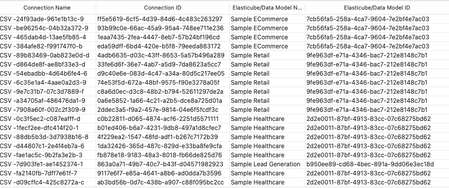
Managing connections within your Sisense environment can become complex over time, if there are a large number of connections, and connections are often added, and replace earlier datasource connections. In some scenarios unused connections can accumulate, potentially cluttering the connection manager UI with no longer relevant connections. Although unused connections typically represent minimal direct security risk, it's considered best practice to maintain a clean, organized list of connections, and in some scenarios it can be desired to remove all unused connections. Sisense prevents the deletion of connections actively used in datasources, safeguarding your dashboards and datasources from disruptions. However, inactive or "orphaned" connections remain after datasources are deleted or a connection is replaced, potentially contributing to unnecessary UI complexity in the connection manager UI. Connections can be of any type Sisense supports, common types include various SQL connections, Excel files, and CSV files, as well as many data providers, such as Big Panda. This tool can also be used to list all connections, with no automatic deletion of unused connections.1KViews4likes4CommentsUserReplaceTool - Automating Dashboard Ownership Transfers - Useful for Deleting User Accounts
Managing and deleting user accounts in Sisense can create manual processes when users leave an organization or change roles. A frequent issue is the reassignment of dashboard ownership to prevent losing Sisense dashboards when a given user account is deleted, as deleting a Sisense user will delete all dashboards owned by that user. The UserReplaceTool addresses this task by automating the transfer of dashboard ownership of all dashboards owned by a given user, ensuring continuity and data integrity. UserReplaceTool is a Python-based, API-based Tool solution designed to seamlessly transfer the ownership of dashboards and data models from one user to another in Sisense. This tool simplifies and automates this process, allowing organizations to reassign dashboard ownership without manual processes or the risk of losing dashboards and widgets. All components are accomplished by using Sisense API endpoint requests.1.4KViews3likes3CommentsRefresh Schema error
I get this error: Refresh Schema Failed The table probably no longer exists. Please use the change connection flow. When I click Refresh Schema on some tables. Can anyone help diagnose/fix? Some info: I confirmed the table exists. In Sisense, "Preview Data" returns the expected values. I'm working on a Live Model. Some tables can refresh schema as normal. My datamodel has 52 tables. Sisense L23.9.1.2KViews0likes5Comments
Enhance Usage Model to include segmentation of Email Subscription vs Front-End queries
When analyzing dashboard and widget query performance, I would like to be able to focus on only front-end user queries, or just on email subscriptions, or both. Unfortunately, the source data of the Usage Analytics Model does not contain information that allows us to distinguish whether a dashboard was executed via the Web UI or through a scheduled job. Therefore, we are unable to perform the requested analysis.83Views0likes1Comment
Support Changing First Day of Week in Live Models
We have multiple customers and models and depending on the customer, they may want the week to be from Sunday-Saturday instead of only from Monday-Sunday. Currently First Day of Week is only a global setting and only applies to elasticubes. Because of this there is no easy workaround to to accomplish this goal with live models and big query. We're currently on version L2025.3.0.397.66Views1like0Comments