GIT Instruction How To
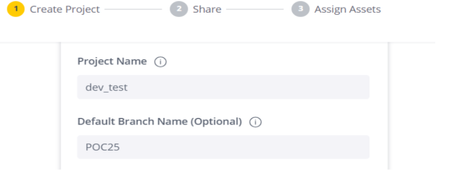
Learn how to seamlessly migrate Sisense assets between environments using GIT with our step-by-step guide. This tutorial covers creating projects, adding and committing assets, and pulling updates to ensure smooth transitions across instances. For additional details, explore our linked resources on Sisense GIT integration.1.1KViews0likes3CommentsUpdate and add new Highcharts modules for use in Sisense plugins
Update and add new Highcharts modules for use in Sisense plugins The JavaScript library framework Highcharts is natively included in Sisense and is utilized in many native Sisense widgets as well as in numerous Sisense plugins. Although Sisense typically does not alter the Sisense Highcharts library version with every release, the versions of Highcharts included in Sisense may change when upgrading to a new major version release. Highcharts can load additional chart types and other types of functionality via JS module files that contain code-adding features such as additional chart types, which can be used within plugins along with additional code to create additional widget types. If a plugin utilizes a Highcharts module, you can source the module directly in the "plugin.json" file's source parameter, as shown in this example: "source": [ "HighchartModule.js", ], To determine the current Highcharts version being used in your Sisense version, you can use the "Highcharts" command in the web console while viewing any page on your Sisense server. After identifying the current Highcharts version, you can find the corresponding module hosted on the Highcharts code hosting website using the following URL format: https://code.highcharts.com/${Highcharts_Version}/modules/${module_name}.js For example: https://code.highcharts.com/6.0.4/modules/heatmap.js You can save this module and upload it to the plugin folder or replace the older module JS file simply by copying and pasting the code directly. Be sure to update the "plugin.json" file to point to the new module file if the file name has changed or if this is the first time the module is included. Simply sourcing the module file in the "plugin.json" file is sufficient to load the module into Highcharts; no further code is required to load the module.1.5KViews2likes2CommentsScript to retrieve the user list with first name and last, email, and userID
By following these instructions, users can efficiently check and download a CSV file containing the list of users meeting specific criteria from the developer console in their preferred browser under the user with Admin rights.1.1KViews1like0Comments