Sisense Compose SDK
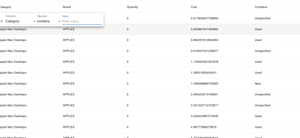
Sisense Compose SDK The Future is Composable In the fast-paced world of data-driven applications, developers are constantly seeking innovative ways to create customized data products that seamlessly integrate into their projects. Sisense has stepped up to the challenge with its groundbreaking Compose SDK, which has fundamentally changed the game. This powerful toolkit empowers developers to harness the full potential of Sisense components, enabling them to craft data products that are not only highly customized but also perfectly tailored to their applications. Traditionally, the embedded analytics market constrained developers within the boundaries of their chosen tools. However, Compose SDK breaks free from this limitation. Instead of merely embedding a third-party tool, developers now have the freedom to build bespoke data products by selecting from a rich library of Sisense components and seamlessly integrating them with a wide range of other tools within their Integrated Development Environment (IDE). A Practical Example In the world of UI design, consistency is key. Imagine your company has chosen the Material UI framework to style your application. It provides a sleek and uniform look, but now you need to populate Material UI tables with dynamic data from Sisense. Enter Compose SDK. With it, you can seamlessly merge Material UI's aesthetics with Sisense's analytical power. Start with Material UI tables that align perfectly with your design guidelines. Then, using the Compose SDK's ExecuteQuery component, you effortlessly infuse these tables with real-time data from Sisense. The result? Stunning, data-rich components that not only adhere to your design principles but also deliver invaluable insights. Your users get the best of both worlds - visually appealing design and powerful data. Get Started with Compose SDK Excited to explore the potential of the Compose SDK? Good news - it's currently in Beta and available to all Sisense partners, ready for you to harness its capabilities today. To embark on your journey, you can begin by cloning the example repository from GitHub listed below. To install the necessary packages for your sample application, follow the user-friendly Compose SDK Quickstart Guide. Keep in mind that, for the time being, these packages are accessible on GitHub, requiring a personal access token for access. In conclusion, Sisense's Compose SDK represents a revolutionary leap forward in the world of data product development. It empowers developers to break free from the constraints of traditional embedded analytics and build highly customized, seamlessly integrated data products. With the Compose SDK, the possibilities are limitless, and the power to transform your applications lies at your fingertips. So, why wait? Dive into the world of Compose SDK, unleash your creativity, and revolutionize your data products today. Your applications will thank you for it! Credit: Sample Application initially developed by Sisense Senior Director of Field Engineering: Tom Linton Compose SDK -- Material UI Example Sisense Quick Start Guide Sisense Github2.1KViews3likes1CommentExporting a Dashboard Into PDF with SisenseJS
Exporting a Dashboard Into PDF with SisenseJS This article explains how to develop the functionality of generating PDF with the shown widgets when Sisense dashboard is embedded with SisenseJS. When the dashboard is exported into PDF, the report is generated on the Sisense server. When a dashboard is embedded with SisenseJS, then developers can create their own layout, which can differ from the layout created by the dashboard’s designer. SisenseJS does not provide an option to export the shown widgets to PDF, because Sisense will not be able to render the same layout that is used in the parent application. Nevertheless, the shown dashboard can be easily exported into PDF. For exporting we need to use the external library [html2pdf.js]. More information about this library can be found at this link. This library should be added to the page: <script src="https://cdnjs.cloudflare.com/ajax/libs/html2pdf.js/0.10.1/html2pdf.bundle.min.js"></script> Once this library is loaded and Sisense widgets are rendered on the page, you can call methods from this library in order to generate PDF reports. To utilize the methods of this library, I created a function exportToPDF() and variable [opt]. Variable [opt] stores settings that will be used to initiate exporting to PDF. In the sample below, the returned file will be named “myfile.pdf”. Function exportToPDF() expects a DOM element that contains the rendered widgets. HTML of the given element will be rendered in the returned PDF: const opt = { filename: 'myfile.pdf', //File name }; function exportToPDF(lmnt) { const dashboardContainer = document.getElementById(lmnt); html2pdf().set(opt).from(dashboardContainer).save(); } Sample of this logic execution: exportToPDF('sisenseApp'); In the generated PDF the widgets will be placed as the developer placed them. Using this approach you can easily implement the functionality of generating PDF reports. Feel free to use this logic and modify them according to your needs!1.7KViews1like1Comment
SisenseJS With ReactJS
Gitlab Link: https://gitlab.com/SisenseJS/react-sample This project was generated with create-react-app version 1.5.2. The goal is to show a basic integration of Sisense.js using ReactJS. When you load the application, it makes some API calls to fetch all Sisense dashboards whose title are prefixed with Sample and adds option to the dropdown list. Upon selection of a dashboard (uses the first result as default), the application loads the widgets from that dashboard onto the page. For simplicity, certain widget types are excluded from display (textbox and indicator widgets) Dashboard The application gets most of the widgets for a given dashboard and displays them on the page. The end user can click to download each widget, as either an image or CSV Prerequisite Please note you need to be integrated with SSO or WAT in order to be able to implement Sisense.js embedding. If you have not done so already, please refer to documentation regarding how to onboard SSO or WAT, and how to integrate that with embedding. Configuration In order to setup this application for your Sisense server, check out the configuration file at /src/config/sisense.js. This file contains some settings, such as the dashboard title prefix, your Sisense server's address, etc that you may want to update before running. Development server Run npm start to build and run the application, then navigate to http://localhost:3000/. The app will automatically reload if you change any of the source files. Production server Run npm run build to generate a production build out of the application. Once built, you can deploy the web app to a web server, as per Instructions from React Further help To get more help on create-react-app for ReactJS check out their Github Repository. For more help with Sisense.js, check out the Sisense documentation here.2KViews0likes0CommentsInvoke Custom Dashboard Function From SisenseJS
Question: how to invoke functions from within sisenseJS? I would like to understand this invocation process for a function that lives within a dashboard script AND a plugin. Answer: Functions in a widget/dashboard script or a plugin aren't (and cannot be) automatically exposed somewhere, because they run in an enclosed scope just like any Javascript function (or any scoped block for that matter, including loops for example): function myScopedBlock() { function myInternalFunc() { // do something } } console.log(myInternalFunc); // undefined As you can see in the example above, simply defining a function in a scoped block does not automatically allow you to invoke it elsewhere, and you need to explicitly expose it - how that's done depends on the environment you're working in. For example, in a Node.js script using CommonJS modules, you would use the module.exports syntax. In the case of dashboard or widget scripts, in their context you always have access to an object called either "widget" or "dashboard" respectively, which represents the current instance of the dashboard/widget the script is running in. You can attach custom properties to that object, which can be functions as well, for example in a widget script you could add: widget.myFunc = function () { console.log('this is a custom function in widget ' + widget.oid); }; Now in your Sisense.js code you can wait for the widget to load, and once it does, you will have access to the function you've attached to it: Sisense.connect('http://localhost:30845/').then(function(app) { app.dashboards.load('5e9d6748d81796002d373530').then(function(dash) { let widgetInstance = dash.widgets.get('5e9d676ed81796002d373533'); widgetInstance.container = document.getElementById('widget1'); widgetInstance.on('ready', function(sender, ev){ // "sender" is your widget object in the event's context sender.myFunc(); }); dash.refresh(); }); }); Same can be done for dashboards.659Views0likes0Comments