Using Native Javascript Date Calculations To Modify Sisense Date Filters
Published 11-27-2023


Yes, that is a possible way of implementing this functionality, this avoids having to redeclare or redefine variables.
It is also possible to wrap the code in a function and pass in variables as needed, such as the name of the filter or other parameters that might be needed. A function can be called multiple times, in this case with different filter names. In this example the "dateFilter" function can be called as many times as needed.
dashboard.on('initialized', function () {

    function dateFilter(filterName) {

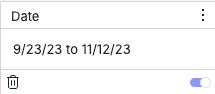
        // Modify to match the relevant date filter title, date filter must already exist and be "From" and "To" date filter
        let filterModifiedName = filterName;


        filterModifiedName = filterModifiedName.toLowerCase()

        // Variable containing the Dashboard filter modified by script
        let modifiedFilter = dashboard.filters.$$items.find(function (filterItem) {
            return !filterItem.isCascading && filterItem.jaql && filterItem.jaql.title && filterItem.jaql.title.toLowerCase() === filterModifiedName;
        });

        // If relevant filter has from and to values selected, date filter must already exist and have from and to values
        if (modifiedFilter && modifiedFilter.jaql && modifiedFilter.jaql.filter && modifiedFilter.jaql.filter.from && modifiedFilter.jaql.filter.to) {


            var date = new Date();
            var currentYear = date.getFullYear();
            var currentMonth = date.getMonth();

            // First Day of the current month
            var fromDate = new Date(currentYear, currentMonth, 1);


            // Format date for Sisense date format
            var formattedFromDate = fromDate.toISOString().slice(0, 10)
            // Set date filter "From" value
            modifiedFilter.jaql.filter.from = formattedFromDate


            // "To" date variable
            var todayDate = new Date
            // Format date for Sisense date format
            var formattedToDate = todayDate.toISOString().slice(0, 10)
            // Set date filter "To" value
            modifiedFilter.jaql.filter.to = formattedToDate

        }
    }

    dateFilter("Date");

});