Using Native Javascript Date Calculations To Modify Sisense Date Filters
Published 11-27-2023


Hi Jake_Raz!
No problem, the following code has that requested functionality:
dashboard.on('initialized', function () {

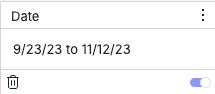
    // Modify to match the relevant date filter title, date filter must already exist and be a "Calendar" style filter (with specific "From" and "To" dates)
    let filterModifiedName = "DateFilterName";

    filterModifiedName = filterModifiedName.toLowerCase()

    // Variable containing the Dashboard filter modified by script
    let modifiedFilter = dashboard.filters.$$items.find(function (filterItem) {
        return !filterItem.isCascading && filterItem.jaql && filterItem.jaql.title && filterItem.jaql.title.toLowerCase() === filterModifiedName;
    });

    // If relevant filter has from and to values selected, date filter must already exist and have from and to values
    if (modifiedFilter && modifiedFilter.jaql && modifiedFilter.jaql.filter && modifiedFilter.jaql.filter.from && modifiedFilter.jaql.filter.to) {

        // Today's date
        var currentDate = new Date();

        // "From" date variable, always first day of current year
        var fromDate = new Date(currentDate.getFullYear(), 0, 1);
        // Format date for Sisense date format
        var formattedFromDate = fromDate.toISOString().slice(0, 10)
        // Set date filter "From" value
        modifiedFilter.jaql.filter.from = formattedFromDate


        // "To" date variable, always first day of previous month
        var toDate = new Date(currentDate.getFullYear(), currentDate.getMonth() + 1, 0)
        // Format date for Sisense date format
        var formattedToDate = toDate.toISOString().slice(0, 10)
        // Set date filter "To" value
        modifiedFilter.jaql.filter.to = formattedToDate

    }

});
The issue that was stopping the code shared in the previous comment was that date functions such as getMonth() are only present on a date object and can not be called independently of a date object. This can be done as simply as the following code:
new Date().getFullYear()
new Date().getMonth()
It can also be called from an existing date object and not necessarily a new date object on each use. New date objects when created unless provided a different date are always the current date.
The best way to set the last day of the month as the filter value is to use the month in the future (currentDate.getMonth() + 1) but set the day of the month value to zero, this is equivalent to the last day of the current date, this avoids having to include custom code to determine the last day of the current month, which varies from month to month. This can be a bit unintuitive at first, but is a known Javascript workaround for this kind of date functionality.