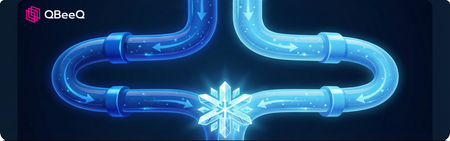
Choosing the Right Replication Strategy: Evaluating ADF + CDC vs. Snowflake Openflow
If you're delivering embedded analytics through Sisense, your dashboard is only as good as the data behind it. But how often do you think about what's happening upstream in the pipelines and ingestion architectures that determine whether that data is fresh, reliable, and cost-efficient before it ever reaches a visualization? QBeeQ is known in the Sisense ecosystem as a plugin and integration provider, but that's only part of what we do. This post is a window into the broader, strategic side of our work: architectural decision-making that happens well upstream of the BI layer but directly impacts the analytics experience your customers see. The client here uses Sisense to deliver embedded dashboards. We built their Snowflake-based data platform from the ground up: integrations, ELT, data modeling, and governance with Sisense sitting at the top of the stack. The next question became: is our data replication approach from MS SQL Server into Snowflake the right one long-term, or should we move to Snowflake Openflow? A Platform Already in Motion Our relationship with our client didn't start with this POC. We previously helped them design and build a Snowflake-based data platform from the ground up, including data integrations, ELT processes, data models, and governance. That work gave them a solid, modern foundation for their analytics and reporting, including the embedded dashboards they deliver to their customers via Sisense. This POC was the next strategic step in that journey. With the platform stable and maturing, the question became: are we using the best possible approach for replicating data from their MS SQL Server into Snowflake? And more specifically, should we continue developing our custom ingestion approach, or move toward a more ready-to-go solution using Snowflake Openflow? Our client’s business depends on near-real-time data availability. Their operational data lives in MS SQL Server and feeds directly into Snowflake, where it powers analytics and reporting for their customers across retail, telecom, banking, and energy. These aren't just technical concerns. They directly affect the quality and reliability of the analytics experience delivered to its end customers. The key business drivers behind this evaluation were: Faster availability of incremental data, especially for large transactional tables Lower operational risk and improved robustness Reduced maintenance effort over time Cost optimization at scale Putting Two Approaches to the Test Rather than making a decision based on vendor documentation or assumptions, we designed a structured POC to test both approaches in parallel, on the same three tables and similar data volumes, across four dimensions: performance cost stability maintainability Option 1: Custom ADF + SQL CDC (Our Existing Solution) The key strength of this approach is control. We define the schema, manage data types, handle transformations during ingestion, and have full visibility into every step of the pipeline. This is the approach we built as part of the initial platform work: CDC (Change Data Capture) - a native SQL Server feature that tracks only changed rows (inserts, updates, and deletes), eliminating the need to reload entire tables on every run Azure Data Factory (ADF) - Microsoft's cloud orchestration service, used here to move delta data from SQL Server to Azure Blob Storage Snowflake - which then loads and transforms the data using Snowpipe and scheduled tasks It's more engineering-intensive to set up, but the result is a robust, predictable, and highly tunable architecture. Option 2: Snowflake Openflow Openflow is Snowflake's newer, more plug-and-play approach to data ingestion. It uses Change Tracking (CT) on the SQL Server side, a lighter-weight mechanism than CDC, and ingests data more directly into Snowflake with less custom orchestration required. On paper, it's appealing: faster to configure, fewer moving parts, and tighter integration within the Snowflake ecosystem. But as with any "managed" solution, there are trade-offs. And that's exactly what we needed to quantify. What We Found Performance Both approaches handled initial loads equally well. The gap appeared with delta loads — Openflow's Change Tracking completed incremental updates in 1–2 minutes versus 5–12 minutes for ADF + CDC. For near-real-time use cases, that's a genuine advantage worth noting. Cost This is where the picture shifts dramatically, and where decision makers should pay close attention: Openflow consumed approximately 12.5 Snowflake credits per day, translating to roughly $50/day or ~$1,500/month for this workload alone. ADF + CDC came in at an estimated $8–15/month That's not a marginal difference. That's a 100x cost gap on a three-table POC. Now consider what that looks like at scale. Most production environments don't replicate three tables; they replicate dozens, sometimes hundreds. If costs scale proportionally, an Openflow-based architecture could run into tens of thousands of dollars per month for a full production workload, compared to what remains a very modest cost with the custom ADF approach. For a data platform that's meant to be a long-term foundation, the compounding effect of that cost difference is enormous. Over a single year, the gap between these two approaches could easily reach $200,000 or more — money that could instead fund additional data products, analytics capabilities, or engineering capacity. For decision makers evaluating build vs. buy, or assessing the true TCO of a "managed" solution, this kind of analysis is exactly what's needed before committing to a direction. Stability & Maturity The Openflow SQL Server connector was still in preview status at the time of the POC. Runtime and canvas updates caused instability during our testing, and the solution requires ongoing infrastructure coordination. Azure Data Factory, by contrast, is a mature and battle-tested technology with a proven track record in production environments. Architecture & Maintainability Openflow introduced meaningful architectural complexity: requires Snowflake Business Critical edition (for PrivateLink connectivity) adds authentication and data sharing overhead offers limited control over target data types, and handles soft deletes only, so hard deletes require additional handling Additional Snowflake-side transformations (PARSE_JSON, CLEAN_JSON_DUPLICATES) were also necessary. Our custom ADF solution, while more involved to build: gives full control over schema and transformations handles deletes cleanly can be extended through a reusable automation procedure that simplifies onboarding new tables over time Open Flow ADF + CDC Architecture Complexity ⚠️ Requires Business Critical + PrivateLink ✅ Simpler, fewer dependencies Stability ⚠️ Preview — instability during POC ✅ Mature, production-proven Cost/month ⚠️ ~$1,500 ✅ ~$8–15 Initial load ✅ Comparable ✅ Comparable Delta load speed ✅ ~1–2 min ⚠️ ~5–12 min Onboarding new tables ✅ Fast and easy ⚠️ More setup, but automatable Schema & type control ⚠️ Limited ✅ Full control Delete Handling ⚠️ Soft deletes only ✅ Full delete support Our Recommendation The POC gave our client something genuinely valuable: a data-driven basis for a strategic architectural decision, rather than a choice made on assumption or vendor marketing. Our recommendation leaned toward continuing with the custom ADF + CDC approach as the long-term foundation. Not because Openflow lacks merit, but because the cost differential is substantial, the stability risks are real at this stage of the product's maturity, and the architectural overhead introduces complexity that isn't justified by the performance gain alone. That said, the delta load performance advantage of Openflow is meaningful. As the connector matures and if near-real-time requirements intensify, it remains a viable path to revisit. The POC ensures that if and when that moment comes, the decision will be informed, not reactive. What This Kind of Work Looks Like in Practice In the Sisense ecosystem, you may know us through our plugins and integrations. But this post reflects something equally important: our ability to act as a full-stack data platform partner. What your users see in Sisense is a function of decisions made far upstream. When those decisions lack rigor, the effects show up as latency, data gaps, and rising costs. Running a structured POC like this is often underestimated, but is one of the most valuable things we do for our clients. It's not just about finding the faster or cheaper option. It's about understanding the full picture: performance under realistic conditions, true cost at scale, architectural implications, and long-term maintainability. Every organization's situation is different. The right ingestion architecture depends on your data volumes, latency requirements, existing tooling, team capabilities, and cost constraints. If you're thinking about your broader data strategy, not just what Sisense can do, but whether everything underneath it is built right, that's a conversation we're well-positioned to have. Thinking about your data platform strategy? Let's talk. QBeeQ is data strategy consulting firm made up of former Sisense employees and customers. We are a Sisense Gold Implementation Partner and Snowflake Select Partner14Views1like0CommentsEnhancing web security: A deep dive into single sign-on (SSO) and web access tokens (WAT)
Single Sign-On (SSO) and Web Access Tokens (WAT) are two pivotal technologies in the domain of web security and user authentication. SSO simplifies the user experience by enabling access to multiple applications with a single set of login credentials, thereby enhancing both convenience and security. Conversely, WAT plays a crucial role in secure access management by granting temporary tokens that verify user identity and permissions across web applications. Both SSO and WAT are integral to creating a secure and seamless digital environment, each addressing unique facets of user authentication and access control. In the following sections, we will explore the mechanisms, benefits, and implementations of SSO and WAT.711Views2likes0Comments
TreviPay’s Best Practice Journey
With thirty designers throughout the company and no real development or vetting process in place we had thousands of unverified dashboards sitting in our production environment. With that many dashboards in place and designers who are unfamiliar with the data and models creating dashboards many began to question the integrity of our data.551Views3likes0Comments