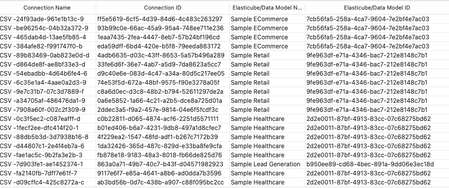
Connection management - Adding a Test option
Hello, In the Connection Mangement windows, I would like to have the ability to test the connection is working. Requirement : Be able to validate all the connection parameters are correct : connect string, hostnmae, credential ... Suggestion : In the contextual menu, from the three dots at the right of the connection, there are option to Share, Edit, Rename a connection. I would like to have a Test option. Thank you, Franck6Views0likes0CommentsConnection Tool - Programmatically Remove Unused Datasource Connections, and List All Connections
Managing connections within your Sisense environment can become complex over time, if there are a large number of connections, and connections are often added, and replace earlier datasource connections. In some scenarios unused connections can accumulate, potentially cluttering the connection manager UI with no longer relevant connections. Although unused connections typically represent minimal direct security risk, it's considered best practice to maintain a clean, organized list of connections, and in some scenarios it can be desired to remove all unused connections. Sisense prevents the deletion of connections actively used in datasources, safeguarding your dashboards and datasources from disruptions. However, inactive or "orphaned" connections remain after datasources are deleted or a connection is replaced, potentially contributing to unnecessary UI complexity in the connection manager UI. Connections can be of any type Sisense supports, common types include various SQL connections, Excel files, and CSV files, as well as many data providers, such as Big Panda. This tool can also be used to list all connections, with no automatic deletion of unused connections.1KViews4likes4Comments
Git Project Status list all pending changes
The Project API has the Status endpoint, which returns a hash of what the current environment looks like. It does not return a list of files which have uncommitted changes as does Git Status. There is a delete endpoint, but that requires a full path listing of the files. There is no wildcard delete. So right now there is no way for an automated solution to discover which files are blocking the Git Pull or to remove them en masse. Please update the Project/{ProjectId}/Status endpoint to also list out all of the files which have uncommitted changes so they can be deleted by automation.160Views1like0CommentsLeft Side Navigation - Per User Configuration & Look and Feel Configuration
Left Side Navigation is a very nice addition to Sisense's roadmap on making the web app have a modern layout! Here is a feedback: At the moment, this feature is applied globally once enabled from the Feature Management. It would be nice if there was an additional Per-User Configuration for this feature so that the Admin can configure it accordingly. Additionally, when creating a Theme, it looks like there is no setting where we can change the the color of the images of the Navigation bar. It would be nice to have an option to adjust it.82Views1like0Comments
Add Support for Oracle 26 as a VectorDB provider to the Sisense AI Assistant
We need to have more options for vectorDB providers as the current version of Sisense supports only MongoDB. This makes it a single-dependency feature which would cause problems in the future for sure. Also, Oracle is a really popular choice for a DB, which would make the feature much more accessible for all Sisense customers. Please, consider it.67Views0likes0CommentsLeft Side Navigation - Per User Configuration
Left Side Navigation is a very nice addition to Sisense's roadmap on making the web app have a modern layout! At the moment, this feature is applied globally once enabled from the Feature Management. It would be nice if there was an additional Per-User Configuration for this feature so that the Admin can configure it accordingly.42Views0likes0CommentsAllow changes to be pushed from Private to Shared viewing
This really should already be an option within this feature but the fact that is not is quite maddening. When I am working on my private dashboards, there needs to be a button to push changes from the private view to the shared view to then republish the results. This should already be a feature and know that many of our clients have complained about this feature. Please please make this update sooner rather than later.115Views4likes1CommentBug: Co-ownership via AD group fails
Details below. I'd like to know: (a) Can we get a fix in a future version of Sisense? (b) Do other users and Sisense tech get the same issue? (c) Any advice other than my workaround? Try the following: 1. Co-Authoring enabled. Sisense version L2025.2.0.510 2. UserU1 from Active Directory (via LDAP). Within Active Directory, UserU1 is a member of GroupG1. Within Sisense, UserU1 has the Admin role (I haven't checked if role matters). 3. UserU1 creates DashboardD1. 4. UserU1 makes the Sisense Sysadmin and GroupG1 co-owners of DashboardD1, and removes themselves from the list of shares. Expected behaviour: This should result in UserU1 still having co-owner access to DashboardD1 because they are a member of GroupG1. Actual behaviour (bug): UserU1 does not see the Private/Shared toggle button. UserU1 does not see the Share/Republish button. UserU1 can edit widgets on the dashboard (as expected). When another user edits and republishes the dashboard, it overwrites UserU1's changes. (Also, a colleague reported a scenario where maybe UserU1's dashboard failed to get the updates when the dashboard was republished except when they manually clicked restore dashboard; if so, that's probably related to this.) So, when you have co-owner access to a dashboard via an AD group, that seems to behave more like "Designer" access, or like you have only the "Private" version of the dashboard and can't toggle to the "Shared" version. Using non-AD group: I tried the same except that I created GroupG1 in Sisense instead of via AD. Co-ownership worked. Workaround: Do not grant co-ownership to AD groups. Either use Sisense groups or grant co-ownership directly to users.42Views0likes0Comments
Report feature usage (e.g. dashboard email subscriptions, pulse notifications)
I would like to know which features of Sisense the users are using. Are they using Pulse? how much, in what ways? Which users have scheduled email reports (not the plugin)? frequency, sending to self or others?873Views5likes2Comments