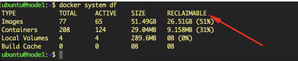
ContributionsMost RecentNewest TopicsMost LikesSolutionsHow to configure Grafana to use a custom SMTP for alerting [Linux] Prerequisites Before you begin, ensure you have the following: Access to the Kubernetes cluster where Sisense is deployed. A Google account with 2-factor authentication enabled. A Google “App Password” generated specifically for Grafana. Step-by-Step Guide: 1. Update the sisense-grafana ConfigMap to define your SMTP settings. kubectl -n sisense edit cm sisense-grafana 2. Within the ConfigMap, navigate to the grafana.ini section and add or update the [smtp] settings as follows: [smtp] enabled = true host = smtp.gmail.com:587 user = your_email@gmail.com password = your_app_passwords skip_verify = false from_address = your_email@gmail.com from_name = Grafana More information is here: https://grafana.com/docs/grafana/latest/setup-grafana/configure-grafana/#smtp 3. Restart the Grafana pod kubectl -n sisense delete pod -l app.kubernetes.io/name=grafana 4. Add your contact point using Grafana UI under: Alerting => Contact points => Add contact point You can check supported contact points integrations here: https://grafana.com/docs/grafana/latest/alerting/fundamentals/notifications/contact-points/#supported-contact-point-integrations 5. Create your custom notification policy: Alerting => Notification policy 6. Create your own alert rule: Alerting => Alert rules => New alert rule For the test purpose, we created an alert to monitor how much memory is currently used on the node, and if it is more than 30 GB, fire an alert (node_memory_MemTotal_bytes - node_memory_MemAvailable_bytes) > 30 * 1024 * 1024 * 1024 Under Configure notifications, please select the contact point that was created earlier. Note: Changes to the ConfigMap will be overwritten during each upgrade. Therefore, you will need to re-add the [smtp] section after every upgrade. Conclusion Updating the Grafana ConfigMap with your SMTP settings can help you monitor your environment and receive timely notifications about resource usage, system health, or critical events, allowing you to respond proactively and maintain service reliability. References/Related Content https://docs.sisense.com/main/SisenseLinux/monitoring-sisense-on-linux.htm#Grafana Disclaimer: This post outlines a potential custom workaround for a specific use case or provides instructions regarding a specific task. The solution may not work in all scenarios or Sisense versions, so we strongly recommend testing it in your environment before deployment. If you need further assistance with this, please let us know. Deploying an internet-facing ALB for a private Amazon EKS cluster The Sisense requires at least two public subnets to be available for deploying Application Load Balancer on AWS, according to the documentation. This article explains how to deploy an ALB for Sisense with private subnets only. Optimizing Docker Storage Optimize Docker storage by efficiently managing images, containers, and volumes using docker prune commands. Over time, unused Docker objects accumulate under /var/lib/docker, leading to storage bloat. This guide provides step-by-step instructions to reclaim disk space with docker system prune, docker image prune, and more. Learn how to clean up unreferenced images, stopped containers, and unused volumes while ensuring system performance. Use caution to prevent accidental deletions. Regular maintenance keeps your Docker environment optimized.