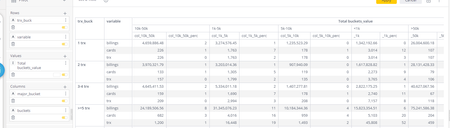
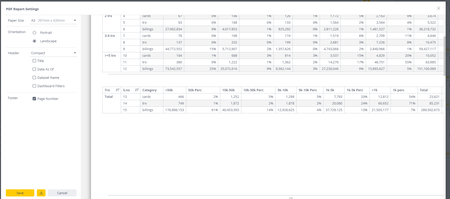
ContributionsMost RecentNewest TopicsMost LikesSolutionsSankey chart in sisense. Hi is it possible to create sankey chart in sisense as this chart option is not available, i am aware of plugins , but instead of plugins is there a way around to create it using any codes etc. DRay Dashboard Filters I am creating a dashboard , in the filters i have put the time field , and i want to see my table at quarter level , but , the filter is taking quarter1 from jan to march , But i want to customize the quarters as per financial years i.e , q1 = april to june , q2= july to sep ,q3 = oct to dec , q4 = jan to march DRay formattinng the pivot chart Is there anyway to get double line just to differentiate the total in pivot chart as it is shown in screenshot attached? Pivot table modifications I have pivot chart , and i wanted to differentiate the total with double line so i used a script and i uploaded it in the respective widgets edit script option and i am getting the necessary changes . The script follows : //double line widget.on('domready', function () { $("td[class*='--row-13'] div.table-grid__content__inner").parent().parent().css('border-top','double'); $("td[class*='--col-12'] div.table-grid__content__inner").parent().parent().parent().css('border-left','double'); }); But i have other pivot table widgets , double line is coming in all those widgets which i don't want and even i dint applied the script in those widgets for example: DRay so what changes i need to do ? Solvedpivot table modification Hi , I have created a pivot table , the way it is created I have used the css script and i have hidden the the row shown in below image The resultant table look like this : my requirement is i have to concat '%'symbol to the columns which i have highlighted in below image . is there any css script ? so i can get the changes . DRay daniel SolvedPivot table modifications. I have pivot table ,i want to hide the row as highlighted , is there any way to that? the way the chart is built is : Re: formattinng the pivot chart step 1 i want to color the last row , 7. Color Entire Rows Highlight the entire 5th row: $("[class*='--row-5']").css('backgroundColor','yellow') step 2: the above mentioned code was found in the link you provided me earlier then I am going into edit script of widget them i am pasting the code and saving the changes But i am not able to see the changes in widget Re: data manipulation in Pivot chart My widget is coming like this , i think bit different from the screen snip you shared ? and in my widget i cannot sort it Re: data manipulation in Pivot chart Yes this would work , and can i also sort it according to my custom order , like Alaska , Arizona ,alabama, American samao? Re: Formatting the widgets The above script is making changes in dashboard , i want to reduce the gap when i export it to PDF .