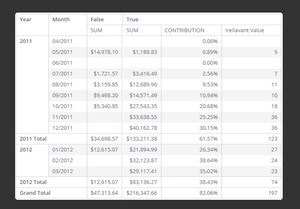
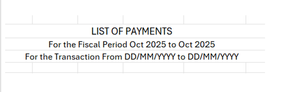
ContributionsMost RecentNewest TopicsMost LikesSolutionsRe: Display Dashboard Title and Filters in exports(xlsx, csv, pdf) Hi HamzaJ thank you, reached out to paldi team through our CSM. Re: Pivot Widget - Hide row values in columns category. Hi DRay thank you for helping on this. I went through the post you shared. Here is the screenshot from the above post. If I want to hide the row, the one with the values false, true. How would I achieve that. I tried but couldn't get it. Pivot Widget - Hide row values in columns category. Hi, we have requirement to use a report field only for sorting in pivot widget, this field should not be displayed on the report. Need to hide the entire row which contains values 1,2,3,4,... used only for sorting as shown in the screenshot below the SGD field. How can we hide the entire row? Display Dashboard Title and Filters in exports(xlsx, csv, pdf) Hi, is there a way to show Dashboard title and filters of the dashboard in exports like xlsx, csv, pdf. Attaching a screenshot for reference. SolvedRe: How to hide a row in a pivot table? Hi DRay, was this resolved. I do have similar kind of requirement. Want to use a column for sorting in columns category of a pivot widget but hide it from display. Attached screenshot. Row with values 1 2 3 4 5... should be hidden. Access various logs from Sisense UI under file management option Currently File management on Sisense UI under App Configuration shows only storage data. It would be very helpful if various logs can be configured and accessed from file management tab without needing to login to server. Especially in production when there is a need to get the logs for any issue developer has to raise a request with the production support team and wait for their approvals. It would take more than a day to get the files. There is Generate support file option but that is too huge and combines all the logs.