How to resolve browser freezing issues (page unresponsive) on your dashboards
Summary: Alina Malynovska discusses issues with web pages freezing when using Sisense dashboards due to complex data and visualizations. The proposed solutions include identifying heavy widgets, simplifying dashboards, using plugins like Tabber and Jump to Dashboard, adhering to dashboard design best practices, and keeping the browser updated. These steps aim to reduce browser load and improve performance.
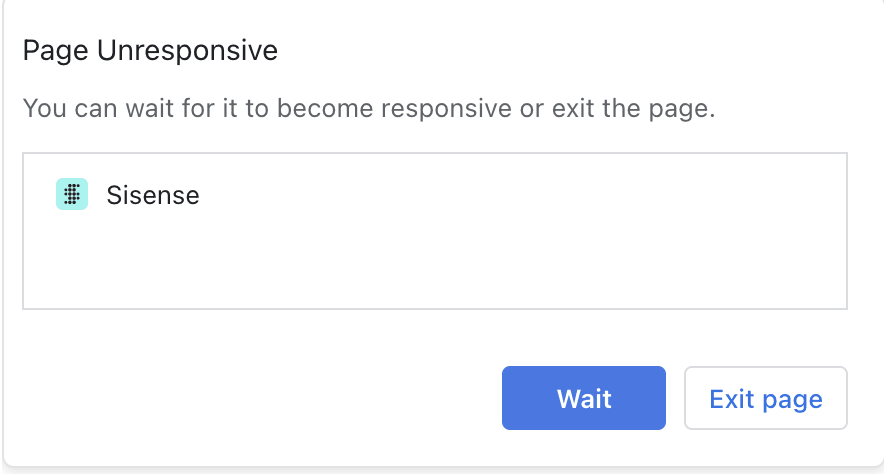
This article addresses the issue of web pages freezing and becoming unresponsive when users interact with certain Sisense dashboards. It typically occurs when the browser is overwhelmed by heavy dashboards with complex data or visualizations due to resource-intensive operations. The error says "Page Unresponsive":
Step-by-Step Instructions to Resolve the Issue
Identify Heavy Widgets and Complex Pivots:
Review the dashboards to identify any heavy widgets such as bar/column charts with multiple slices or complex pivot tables that may be causing the browser to freeze.
Simplify the Dashboard:
Reduce the number of widgets per dashboard.
Filter out unnecessary data to lighten the load on the browser.
Split large dashboards into multiple smaller dashboards to distribute the data load.
Use the Tabber Plugin:
Implement the Tabber plugin to make the dashboard interactive and reduce the amount of data shown at any time.
The Tabber plugin allows users to navigate through different tabs within the same dashboard, displaying only a portion of the data by default.
Use the Jump to Dashboard Plugin:
Utilize the Jump to Dashboard plugin to link multiple dashboards, allowing users to jump between them without overloading a single dashboard.
Follow Dashboard Best Practices:
Adhere to best practices for designing dashboards to ensure optimal performance and usability.
Update Browser:
Ensure the browser is up-to-date with the latest version to benefit from performance improvements and bug fixes.
Related Content:
Docs: https://docs.sisense.com/main/SisenseLinux/troubleshooting-performance-issues.htm

