Wiser Filter Widget
Summary: intapiuser introduced a solution for a filtering widget originally posted in a now-unavailable GitHub repository, providing an alternative download link. The widget allows users to filter by a dimension via a dropdown in the UI, respecting existing dashboard filters. Installation and usage instructions are available on the plugin's GitHub page, and users are directed to the project's README for updated information. For support or feature requests, contact information is provided.
This solution was originally posted at https://github.com/WiserSolutions/ in WiserFilterWidget repo, which is no longer available. The plugin still can be downloaded by alternative Link:
PURPOSE/BENEFITS
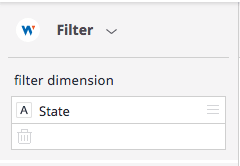
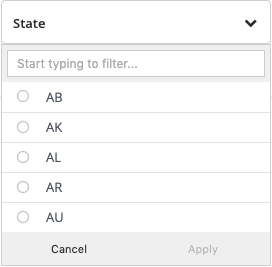
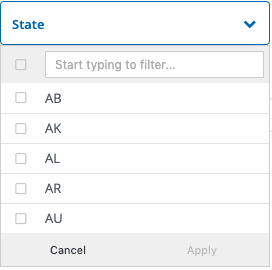
While filtering is available to dashboard designers in the right-side filter pane, this pane may be hidden or otherwise unpreferred or unavailable to dashboard users. In order to still allow the user to filter by a dimension, this widget adds a dropdown in the UI to afford such action.
This dropdown will contain all values for a given dimension, respecting dashboard filters (except any on the same dimension to avoid self-filtering). It will also reflect the current filter settings.

STEPS
For more information, please see the installation and usage instructions on this plugin's GitHub page.
NOTES
For the most up-to-date information please see the project README
SUPPORT
For issues, questions, or feature requests for this plugin, please send an email to opensource@wiser.com